
Understanding the
Background
As of UDA release 6.0 and above,
Single-Tier
OpenLink UDA Single-Tier is a single driver installed on the client only.
For releases 6.0, the oplmgr process was started automatically by the driver on first connection.
As of release 6.1, this behaviour has changed; in order to facilitate use of License Manager process for administering licenses of all
Multi-Tier
OpenLink UDA Multi-Tier drivers comprise at least 3 components: a generic client installed on client machines, all of which contact a central request broker which spawns an RDBMS-specific database agent to connect to the specific database requested. The request-broker asks the license-manager for licenses for every connection requested.
For UDA release 6.0, the oplmgr process was started automatically by the request-broker (oplrqb).
As of release 6.1, this behaviour has changed.
In order that you should only need one license-manager per server, handling licenses for a variety of products (particularly combinations of Multi-Tier and
Starting and Stopping the
The license manager takes the following commandline options:
OpenLink License Manager
Version 1.2.5 as of Tue Jan 08 2008 (Release 6.2 cvsid 00089).
Compiled for Linux 2.6.12-1.1381_FC3 (i686-generic-linux-glibc23-32)
Copyright (C) OpenLink Software.

Usage:
  oplmgr [-shrutp] [+start] [+stop] [+reload] [+user arg] [+chroot arg]
         [+pidfile arg]
  +start     start the license manager
  +stop      stop the license manager
  +reload    force a configuration reload
  +user      run as the specified user
  +chroot    perform a chroot to the specified directory
  +pidfile   pid file to use for server operation
On Unix-based systems we recommend that you create an /etc/init.d/ script that runs `oplmgr +start' on boot-up.
Location of License files
The location of
Unix
The
OpenLink recommends you use /etc/oplmgr/ to store your licenses; each product installation will include a copy of the oplmgr executable in its respective 'bin' directory, such that if this is the only
Mac OS X
The
The
Windows
The
\\HKEY_LOCAL_MACHINE\\SOFTWARE\\
The
uda = $INSTALLDIR\bin
where $INSTALLDIR = C:\Program Files\
The
The
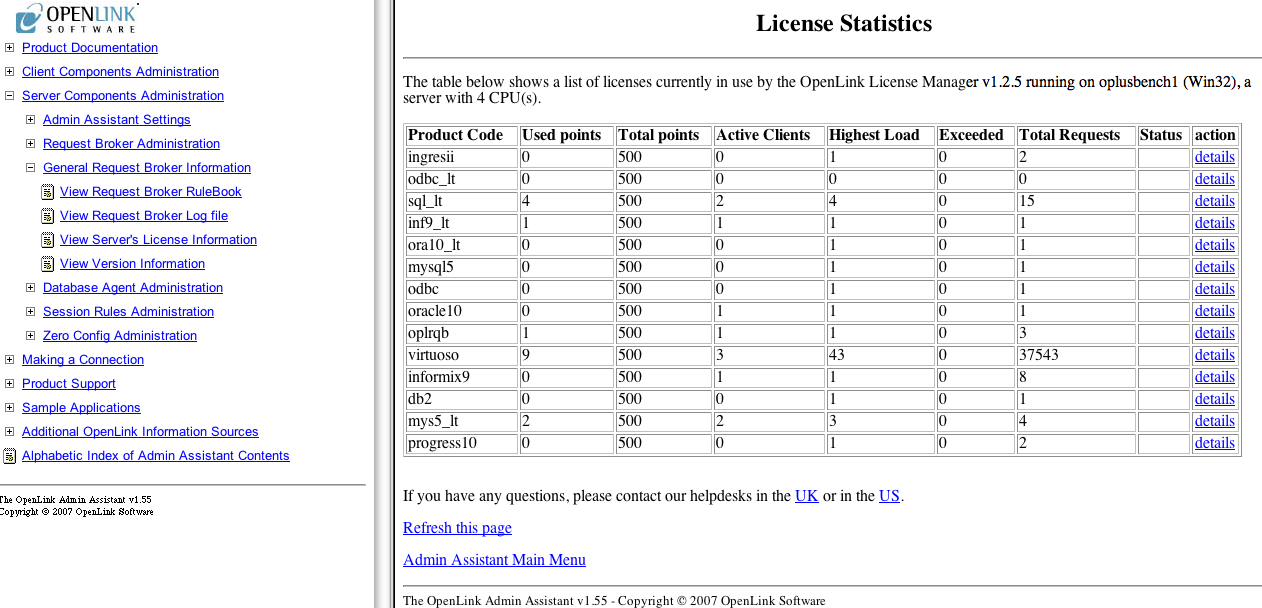
Clicking on the "details" link enables more detailed information to be obtained specified license:
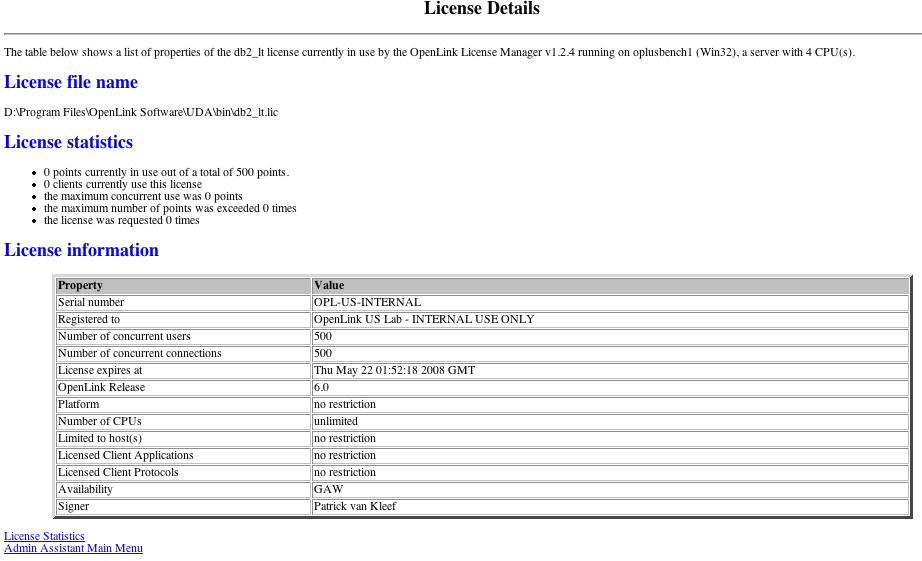
Note these pages display the number of core processors (CPUs) the License Manager has detected on the host it is running on.
The
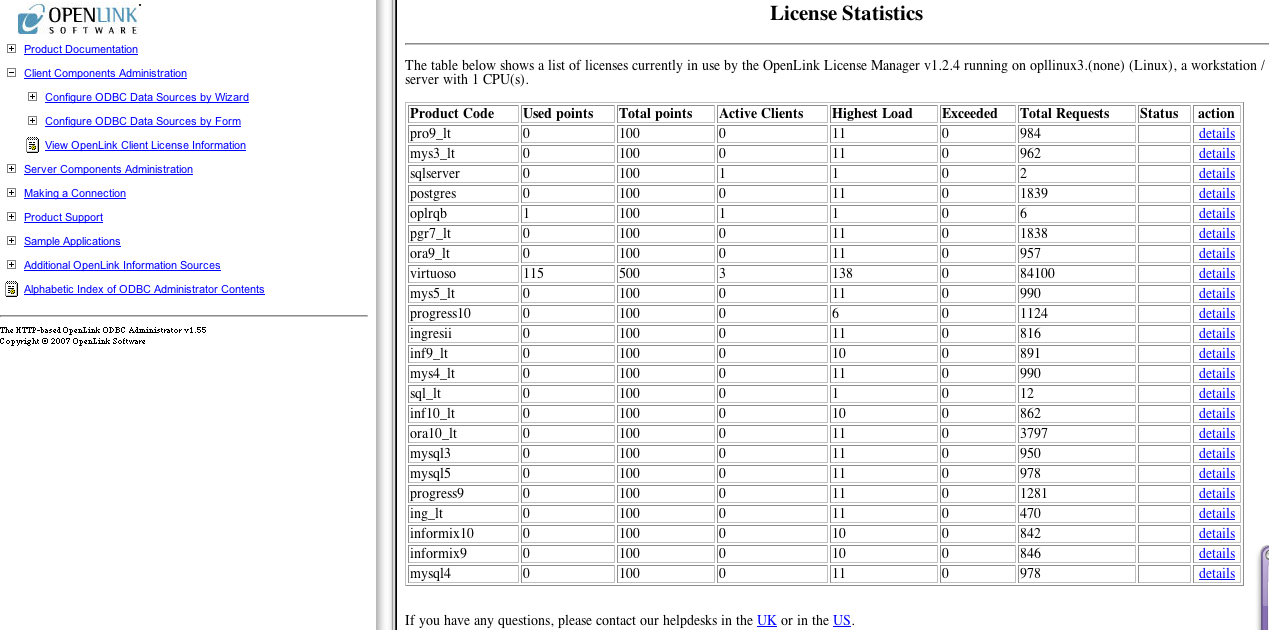
Clicking on the "details" link enables more detailed information to be obtained specified license:
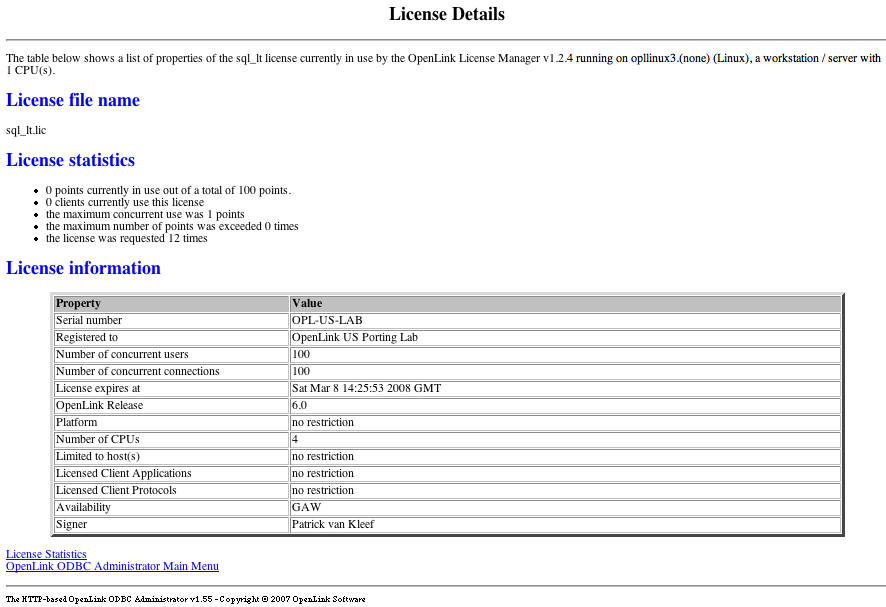
Note these pages display the number of core processors (CPUs) the License Manager has detected on the host it is running on.
The